
Landskabet - Del 1
Til et projekt i denne skala har jeg valgt et kort på 3 × 3 km.
Selve Ribe er ret kompakt, men jeg ville have plads nok til at få de omkringliggende marskområder og naturen med, så byen ikke bare ligger i et vakuum.
Hvis du har været i denne del af Danmark, ved du, at terrænet er utrolig fladt.
Historisk set blev byen bygget på en svagt hævet sandbanke der, hvor havet grenede sig ind i landet.
Højdeforskellene er altså subtile, men helt afgørende.
Selvom terrænet generelt er fladt, har vandløbene ændret kurs gennem tiden.
Jeg valgte at bruge eksisterende geografiske data som udgangspunkt. Det hjælper med at få skalaen og placeringen nogenlunde på plads, samtidig med at det giver en realistisk grundhøjde for området.
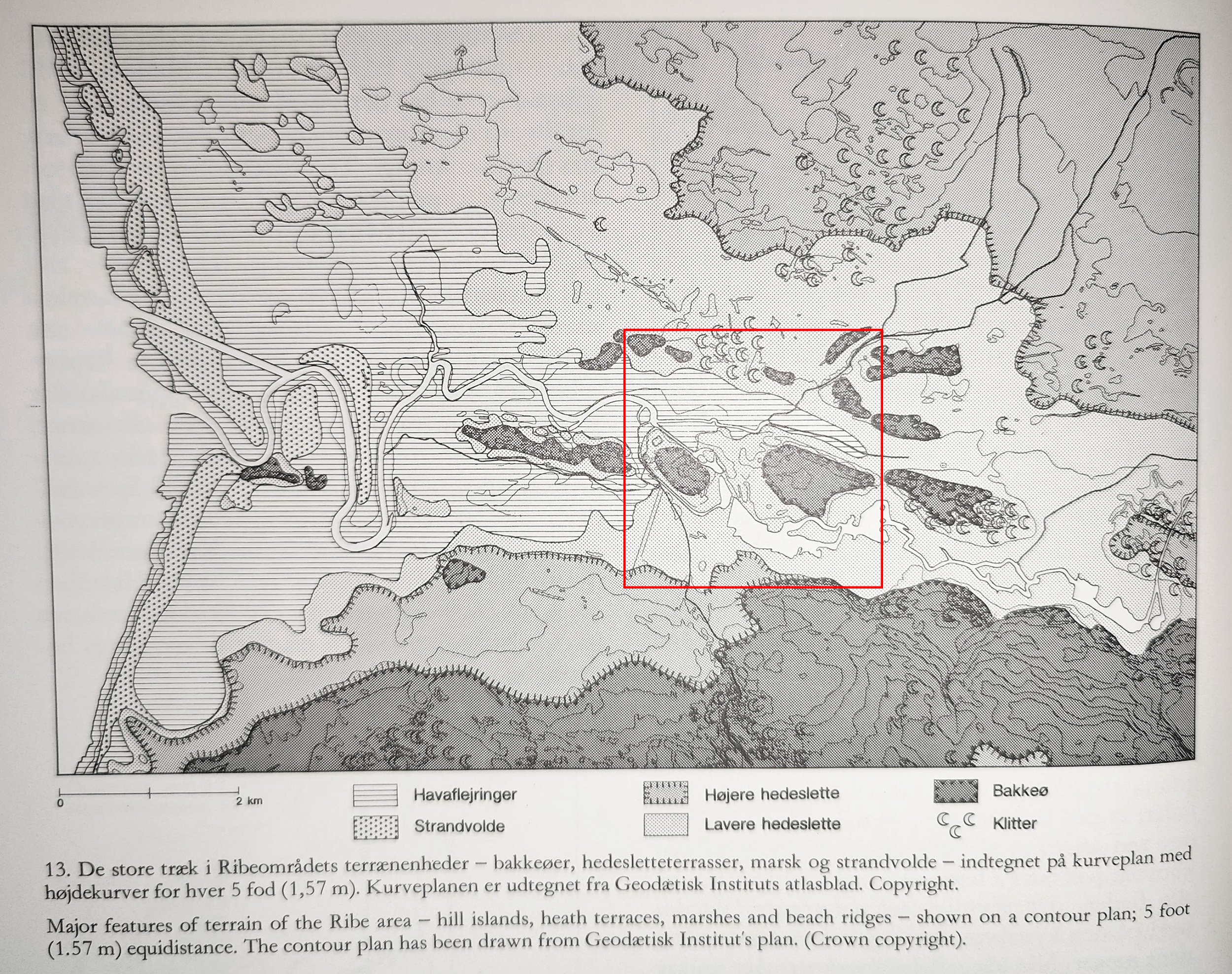
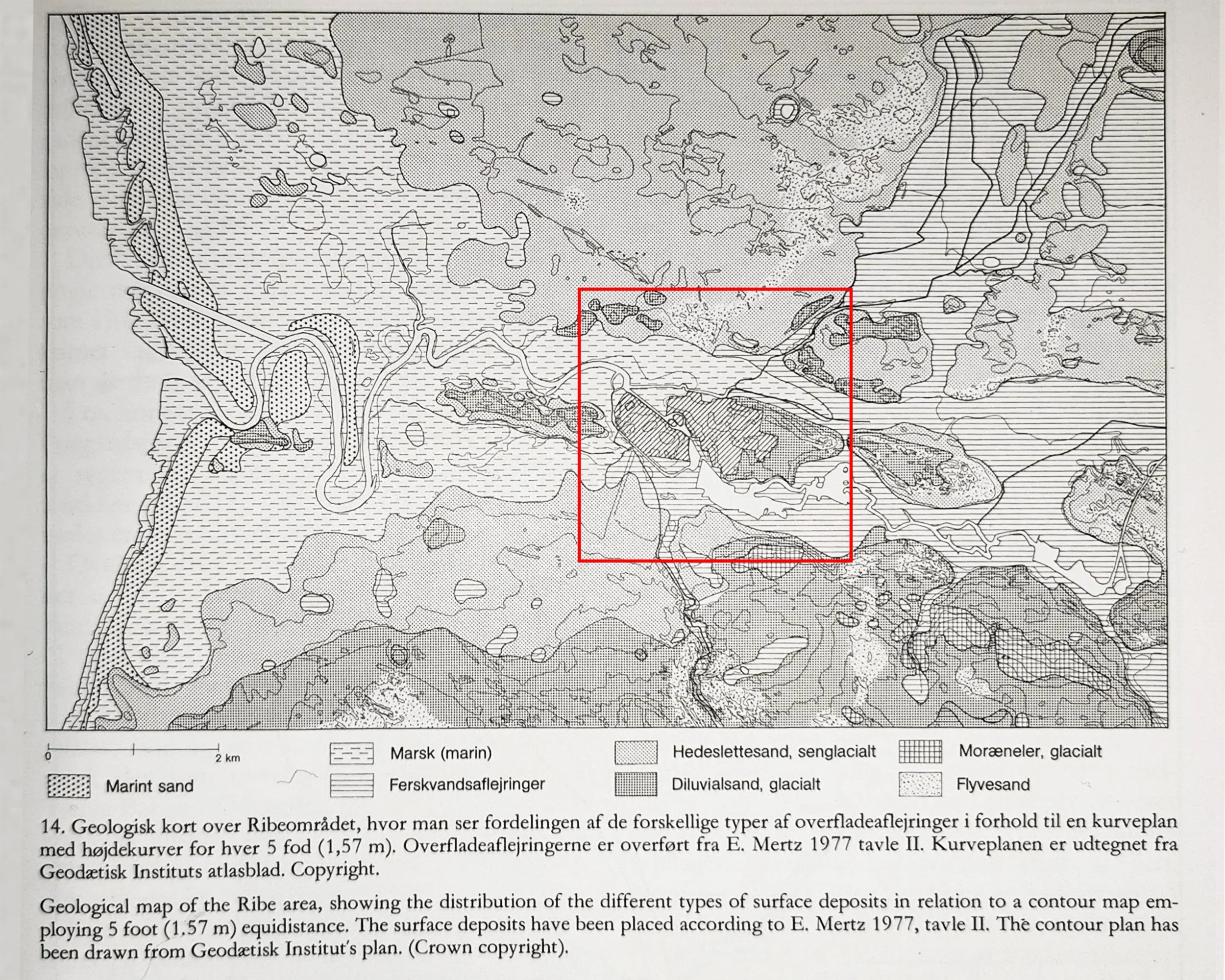
Kilde: Middelalderbyen Ribe af Ingrid Nielsen, 1985.
Fra kortdata til Unreal
For at ramme den rigtige skala startede jeg med reelle geografiske data fra Dataforsyningen.dk. Det er en fed måde at sikre, at placeringen af vandløbene og bymidten har fat i virkeligheden.
Klassisk databøvl
Jeg brugte QGIS til at eksportere en 32-bit GeoTIFF af området, men at få det ind i Unreal var lidt af en hovedpine.
Jeg lærte hurtigt, at Unreal er kræsen. Motoren vil helst have sine heightmaps som 16-bit PNG.
Første forsøg på at importere var et kaotisk rod, og kortet endte med at blive alt for stort.
Det viste sig, at Unreal tolker hver pixel som én meter. Så mit heightmap på 8126 pixels blev pludselig til et kort på 8 km i stedet for de 3 km, jeg havde planlagt.
Lige nu overvejer jeg, om jeg skal skalere det ned inde i Unreal eller bare beholde den høje opløsning. Et kort på 3000 pixels til et område på 9 km² føles lidt for grynet, og jeg vil helst bevare den ekstra detaljegrad, hvis jeg kan, så længe det ikke smadrer performance senere hen.
Højde-udfordringen
At finde den "korrekte" højde er endnu en forhindring. Der findes en helt specifik formel til at udregne højden i Unreal:
(Max højde på dit heightmap i meter) × (100 for at omregne til centimeter) × 0.001953125
men at trække de rå data ud af QGIS viser sig at være lidt af en udfordring.
Oveni det har konverteringen i Photoshop en tendens til at flade dataene ud.
Så jeg har siddet og skruet manuelt på kontrast og eksponering for at hive "dybden" tilbage. Jeg var også nødt til at rydde op i kortet manuelt:
Fjerne moderne veje og bygninger.
Male vandløbene mørkere (da dataene registrerer vandoverfladen og ikke den faktiske dybde på flodbunden).
Næste skridt
Jeg kørte også dataene igennem Gaea, bare for at se hvad der skete. Det løste ikke mine højde-problemer, men det tilføjede noget virkelig lækkert erosion og udjævning, som fik landskabet til at føles mere naturligt.
Indtil videre bliver jeg nødt til at køre højdeværdierne på øjemål, indtil jeg finder en mere præcis måde at oversætte GIS-data til Unreal-enheder på. Det er en masse trial and error, men fundamentet er der endelig.
Opdatering:
Det er lykkes mig af konvertere min 32-bit GeoTIFF til det korrekte 16-bit PNG format direkte i QGIS, hvilket løser højde udfordingen.
Jeg har så valgt at tage lave mappet 4033 meter x 4033 meter (4033px x 4033px) som burde fungerer bedst.
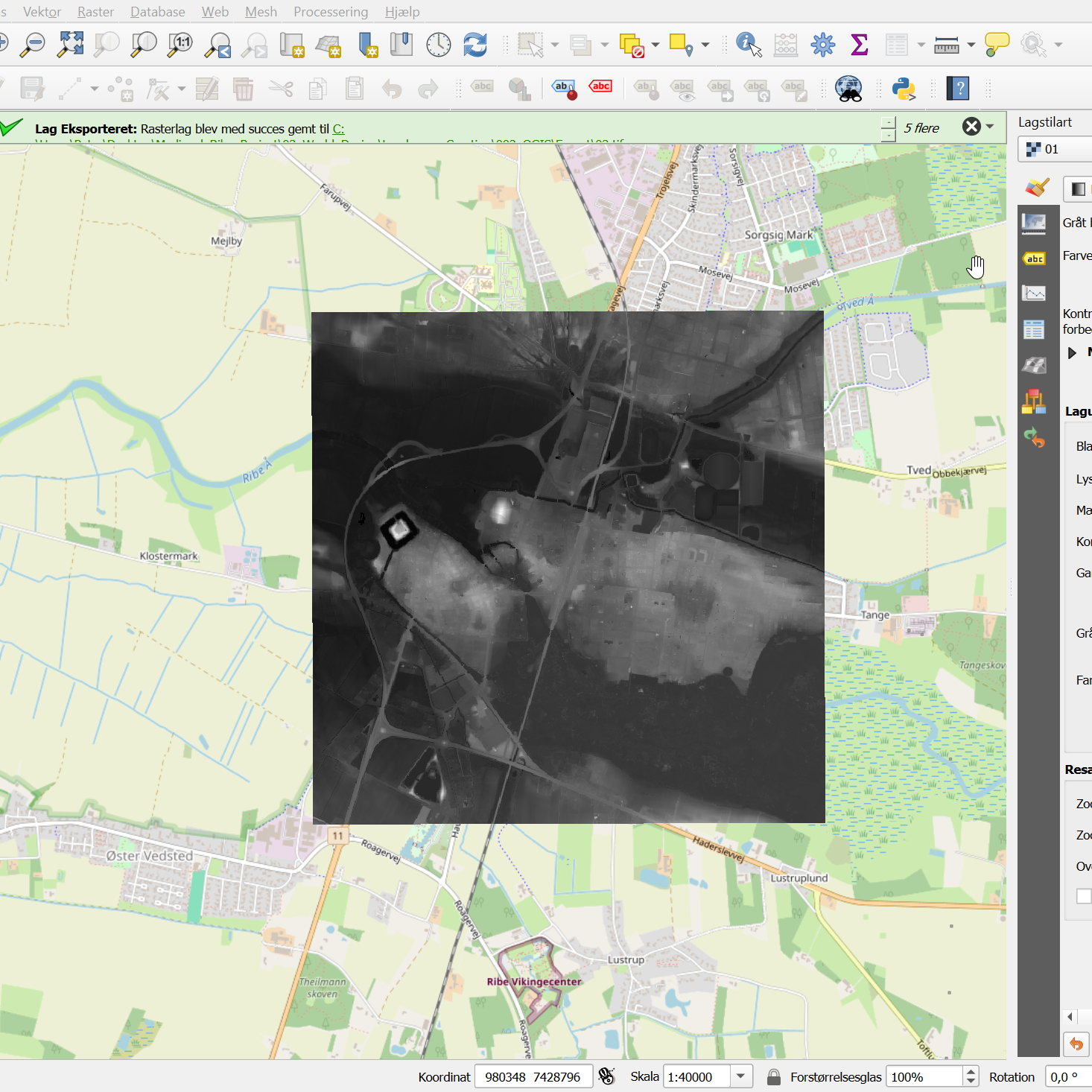
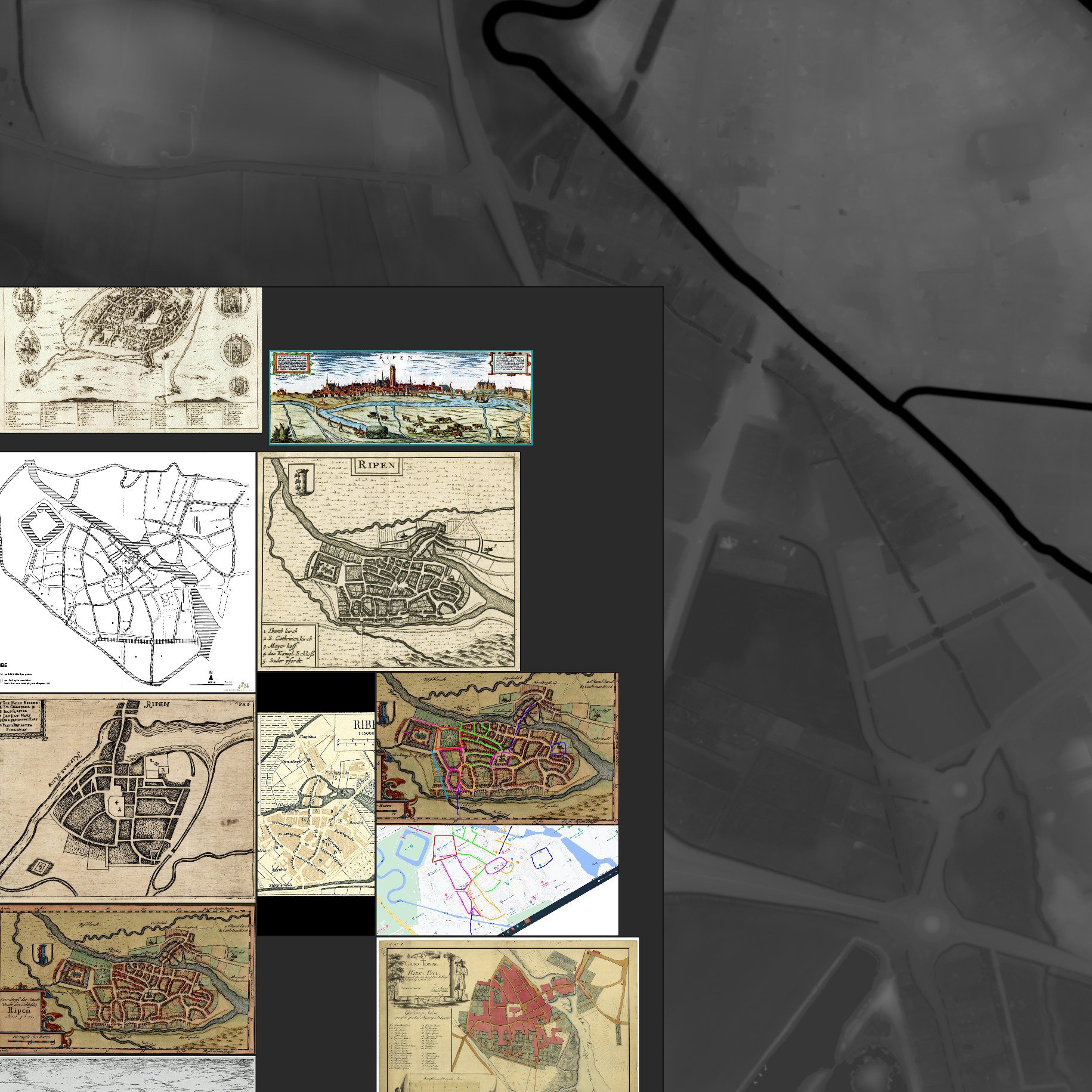
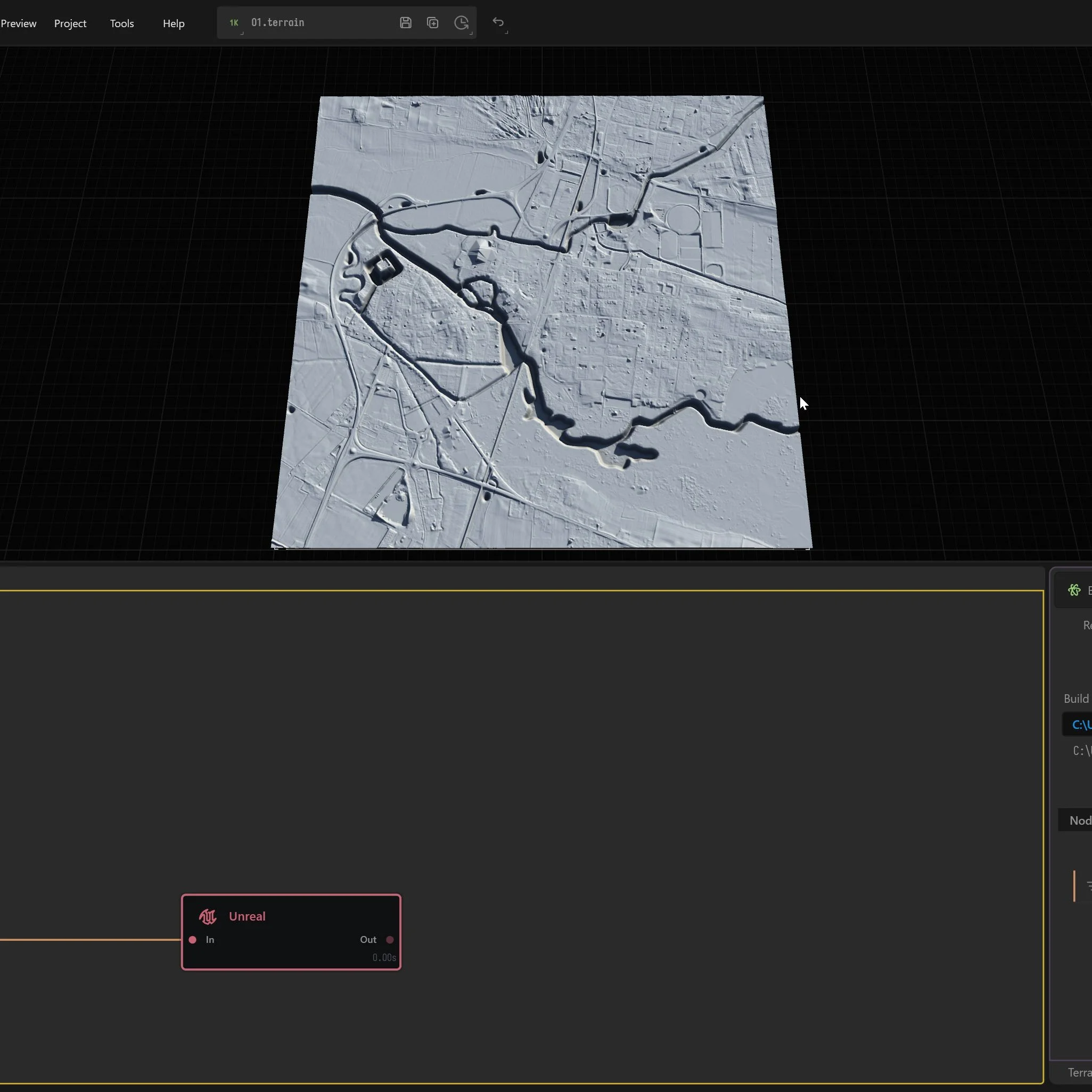
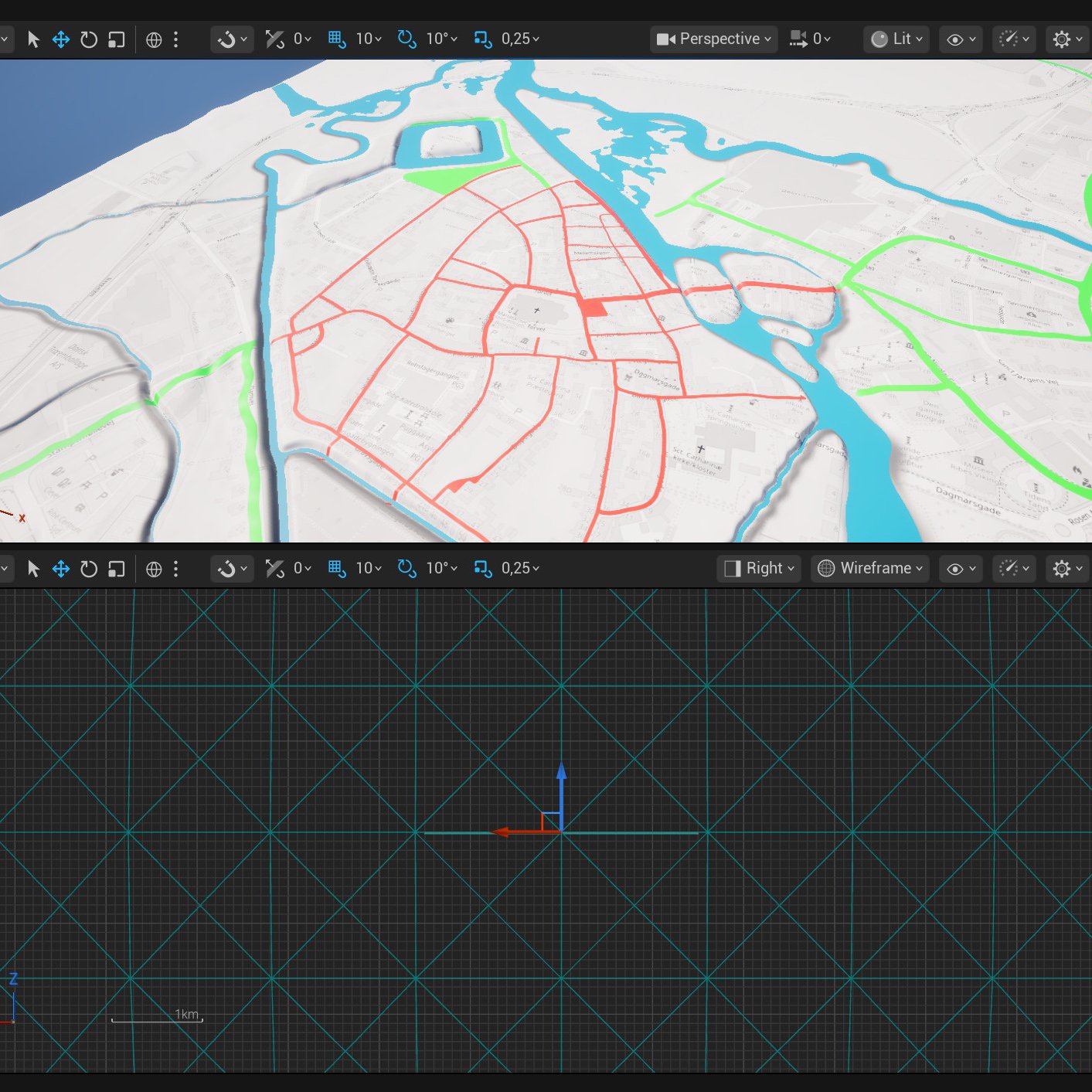
Her bruger jeg QGIS og Photoshop til at lægge 1600-tals kort over Ribe hen over moderne heightmaps og terrændata. Målet er at skabe et præcist og historisk korrekt fundament for miljøet i Unreal Engine.

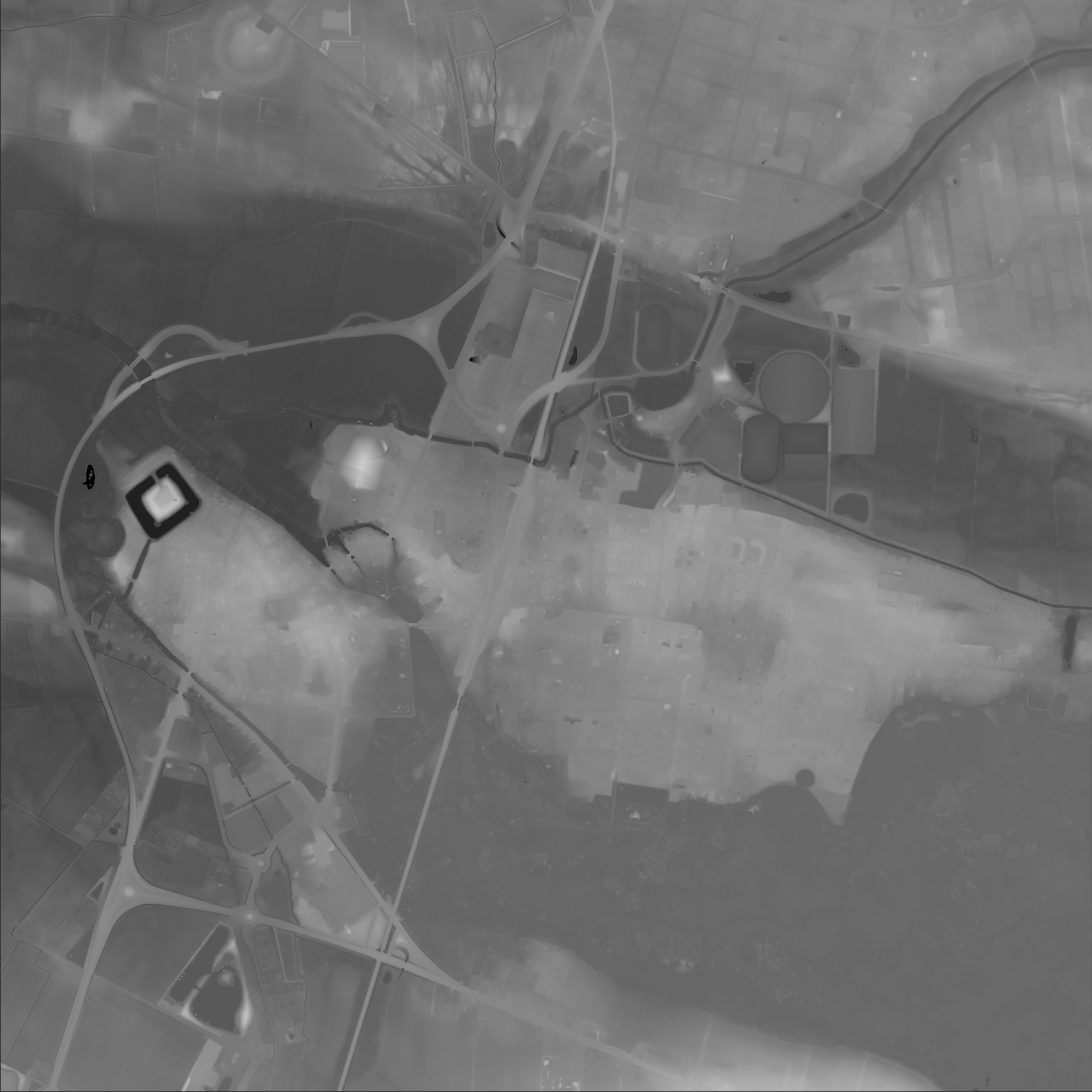
Fra rådata til et spilbart landskab. Dette heightmap er det første skridt i arbejdet med at genskabe marsken omkring Ribe. Her kombinerer jeg præcise GIS-data med manuelle tilpasninger i Photoshop, så miljøet er klar til Gaea og Unreal.